Getac
Rugged tablets and vehicle docks
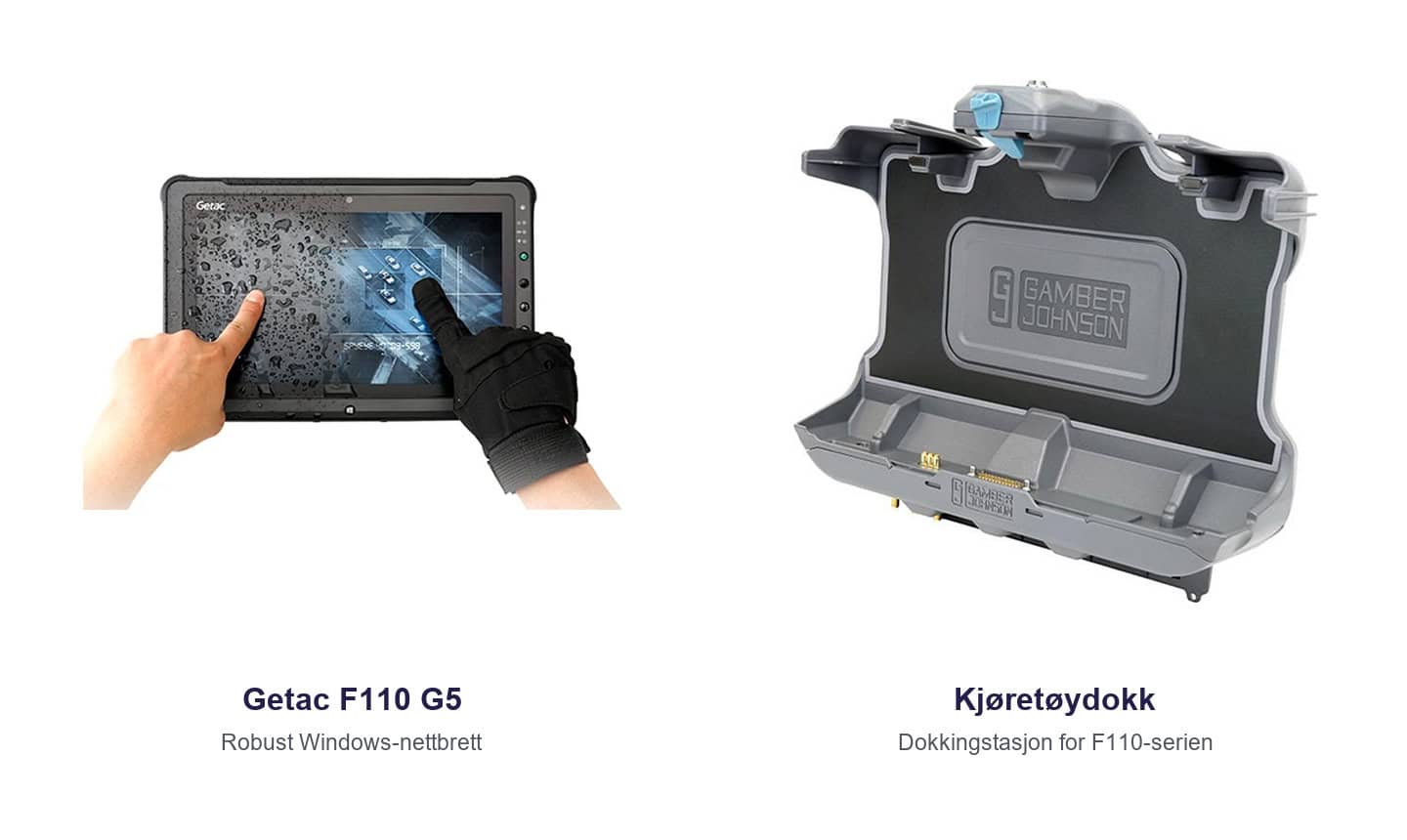
The Getac F110 works both as a vehicle-mounted terminal and as a handheld tablet. APX has supplied the F110 with a vehicle dock. When a delivery arrives, staff can take the tablet to the load, check quantities and record any damage on the spot.
| Rugged tablet | Vehicle dock | Goods receiving | Data capture |
One tablet for the vehicle and the warehouse floor
The F110 as a mobile workstation
The F110 is a rugged tablet with a large touchscreen. Staff can see order lines and data entry fields together while checking a delivery, counting stock or investigating a discrepancy.
Docking the tablet in a vehicle
A vehicle dock holds the tablet in place and can supply power while it is docked. When choosing a dock, check which F110 generation you use and which connections are available in the vehicle.
Test a complete task
Remove the tablet, use it with gloves at the load and return it to the dock to charge. This lets you check whether the mounting position, attachment and screen angle work for your team.
Frequently asked questions about Getac
Can we use the same tablet on and off the forklift?
Yes. With a dock that lets staff remove the tablet, they can take it from the forklift to the warehouse floor.
Can we use our existing barcodes?
APX can test your pallet, product and location barcodes with the scanner and warehouse application you plan to use.


