Honeywell
Handheld terminals, industrial printers and RFID for the warehouse
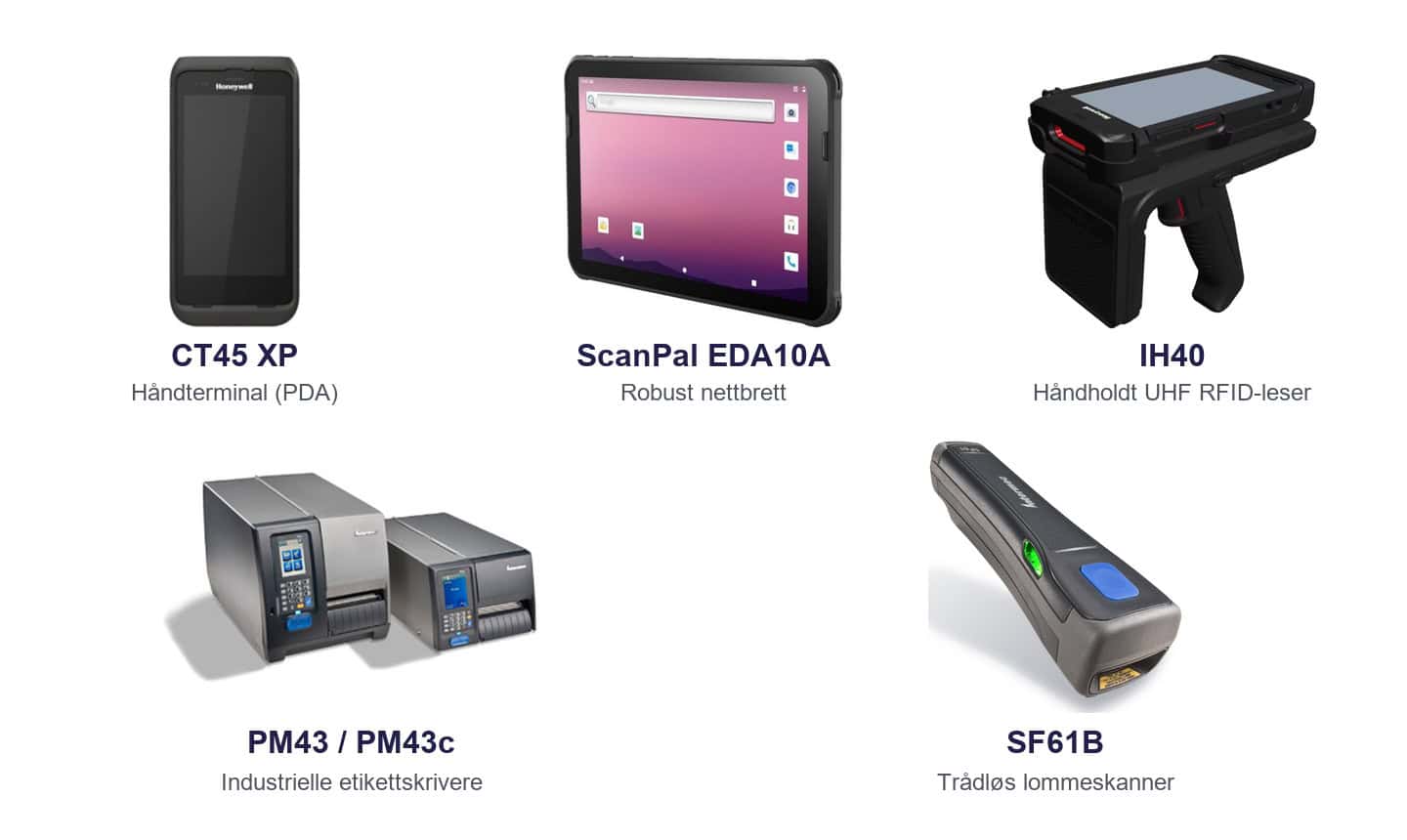
The Honeywell equipment supplied by APX covers both data capture and labelling. A warehouse worker can scan an item with a handheld, print a new shipping label at the packing bench and use an RFID grip to count several tagged items at once.
| Mobile computers and tablets | Label printing | Handheld barcode scanners | UHF RFID |
Five types of equipment for different warehouse tasks
Handheld computer or tablet
The CT series suits one-handed tasks such as receiving, picking and counting. The ScanPal EDA10A is a rugged tablet with a larger screen for order lists and forms with several fields.
Handheld scanners and RFID grips
A separate barcode scanner is useful when an employee needs to select a specific label. The IH40 adds UHF RFID reading to a compatible handheld computer, allowing multiple tags to be captured in the same operation.
Industrial label printer
The PM43 prints labels using direct thermal or thermal transfer printing. At the packing bench, printing can be triggered once the contents of the package have been confirmed so that the correct label travels with each shipment.
Frequently asked questions about Honeywell
Why does read range matter?
A rack label may be much higher than a product held in the hand. Test your own labels at the distances employees actually use.
How do we choose the right controls?
Have employees test the screen and keys while wearing their usual work gloves. Include both scanning and entering quantities.


